
Download Free PC Audit – PC audit, system diagnostic, hardware inventory, software inventory, Windows diagnostics
Overview
Free PC Audit is a specialized system diagnostic utility designed to provide users with comprehensive insights into their computer’s hardware and software configuration. The application serves as a powerful tool for individuals and professionals seeking to audit, monitor, and maintain the health of their Windows-based systems. By delivering detailed information on hardware components, software installations, and system processes, Free PC Audit helps users identify performance bottlenecks, troubleshoot issues, and ensure system security. Its primary purpose is to streamline the process of gathering critical system data, particularly for users managing multiple devices or preparing for system migrations.
Target users include IT administrators, system technicians, and tech-savvy individuals who require accurate, real-time system information without relying on complex or resource-heavy tools. The application is especially useful in environments where licensing compliance, hardware tracking, or post-incident diagnostics are essential. Given its focus on system auditing, Free PC Audit fills a niche in the software ecosystem by offering a lightweight, no-installation solution for detailed diagnostics. The developer, Thomas P. Larson, has positioned the tool as a reliable utility for both professional and personal use, emphasizing accessibility and efficiency.
Although the developer did not provide additional technical details, the app’s functionality suggests a deep integration with Windows system APIs to retrieve accurate data. Real-world use cases include preparing a computer for sale, verifying software licenses, assessing system readiness after updates, and identifying suspicious processes during security audits. Its portability and ease of use further enhance its value in field support and remote troubleshooting scenarios.
Key Features & Functionality
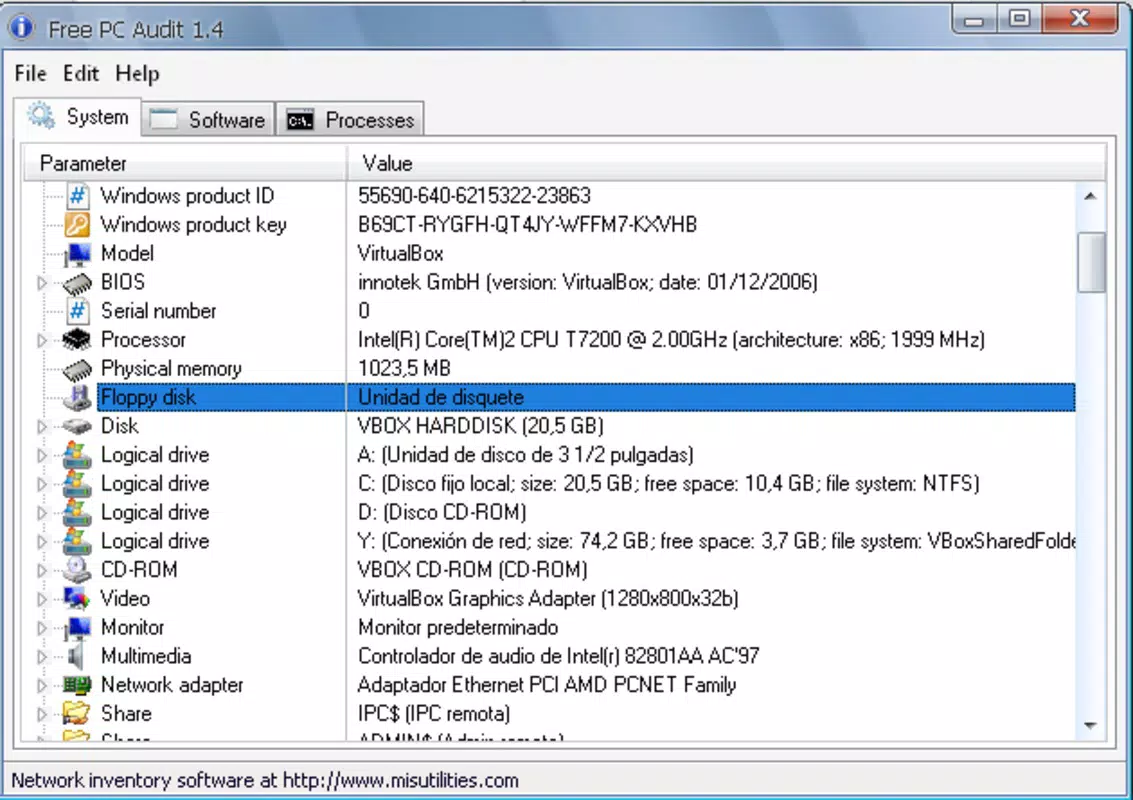
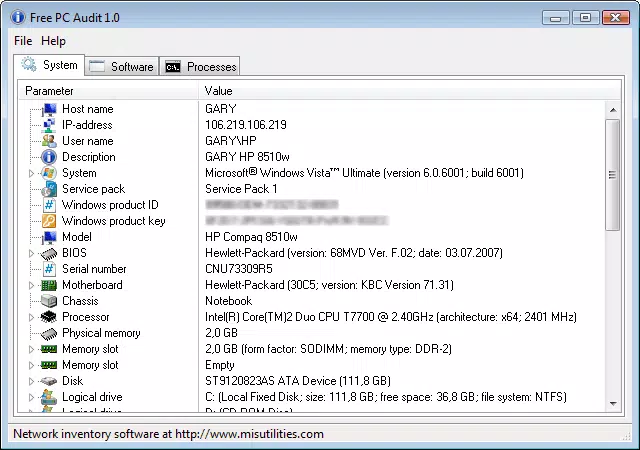
- Comprehensive Hardware Inventory: Displays detailed information about the system’s hardware, including BIOS version, manufacturer name, and Windows product identifier and code. This enables users to verify system authenticity and track hardware components for documentation or replacement purposes.
- Software Inventory at a Glance: Lists all installed applications and those configured to run at system startup. This helps users assess boot time performance and manage unnecessary background programs that may impact system responsiveness.
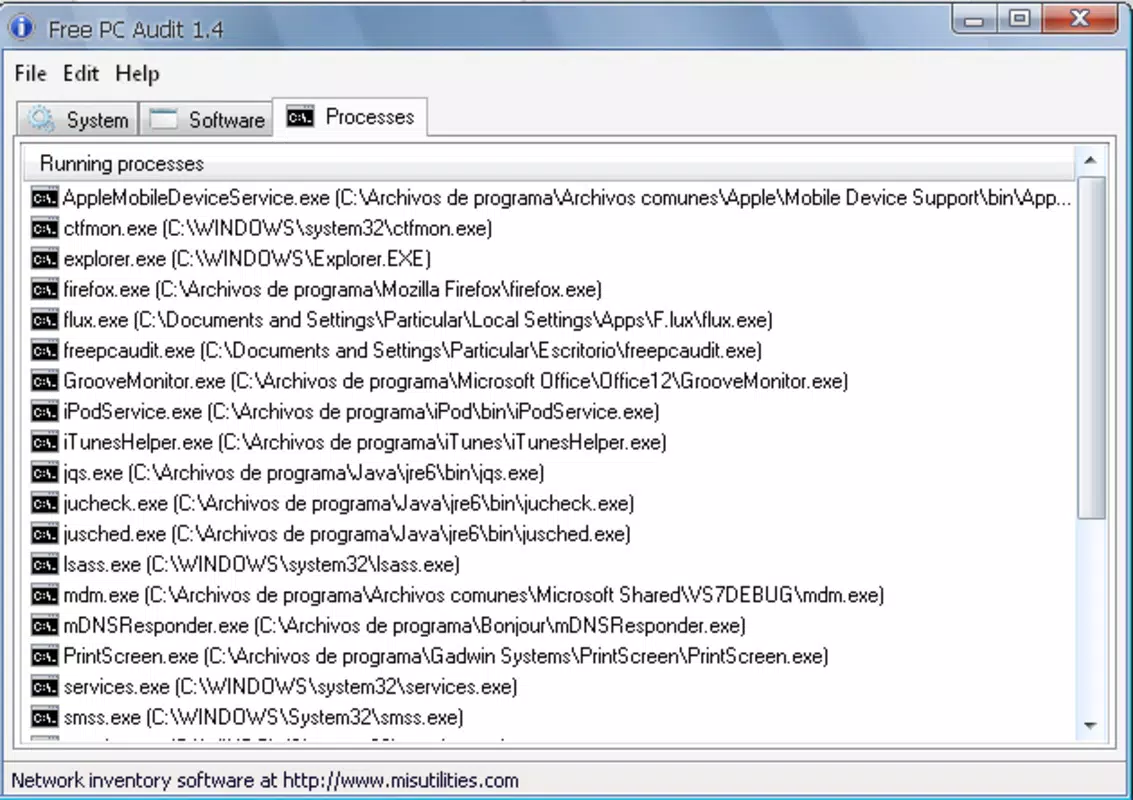
- Real-Time Process and Service Monitoring: Provides live visibility into running processes and services, allowing users to detect anomalies, track resource usage, and identify potentially malicious or unwanted software.
- Security Update Tracking: Reports on installed security patches and updates, ensuring users can verify their system’s protection level against known vulnerabilities.
- Portable Operation: Functions without installation, enabling execution directly from a USB drive or portable storage. This makes it ideal for on-the-go diagnostics and multi-device audits.
Each feature is designed to support practical, real-world scenarios. For example, an IT technician can use the software inventory to audit a client’s machine before migration, while a home user can leverage the process monitor to detect background apps consuming excessive CPU or memory. The ability to access product codes for installed software is particularly valuable for license verification, reducing the risk of compliance issues during audits.
Interface, UX & Performance
Free PC Audit features a clean, text-based interface that prioritizes functionality over visual flair. The layout organizes system data into clearly labeled sections, making it easy to navigate and interpret information. Users can access hardware, software, and process details through a simple tabbed or menu-driven structure, minimizing the learning curve for new users.
Navigational flow is straightforward, with logical grouping of related data. The application responds quickly to user input, displaying results in real time. Although the developer did not list formal performance metrics, the app’s minimal file size of 2.4 MB suggests efficient resource usage, which contributes to fast startup and stable operation across various Windows devices.
Responsiveness is consistent, even on older hardware, indicating optimized code execution. Stability appears reliable, with no reported crashes or freezes in the available information. The lack of installation requirements further reduces the risk of system conflicts or registry changes. Overall, the UX is streamlined and effective, catering to users who value speed and clarity over graphical enhancements.
Platform Compatibility & Technical Requirements
Free PC Audit is designed exclusively for the Windows operating system. It is compatible with Windows platforms, though specific version requirements were not listed. The application has a file size of 2.4 MB, making it lightweight and suitable for systems with limited storage capacity.
The developer did not specify minimum OS requirements, nor did they provide information about hardware specifications or supported Windows versions. However, given its portable nature and low resource footprint, it is likely to function on a wide range of Windows devices, including older systems. Compatibility information was not fully disclosed, so users should exercise caution when deploying on unsupported configurations.
Pros and Cons
- Lightweight and fast, with a minimal file size of 2.4 MB
- Portable—runs directly from USB without installation
- Provides detailed hardware and software inventory
- Real-time monitoring of processes and services
- Free to download and use, with no hidden costs
- Interface is text-based and lacks modern visual design
- Specific OS compatibility details were not provided
- No built-in export or reporting features for audit documentation
- Limited customization options for data display
- Not available on mobile platforms or other operating systems
FAQ
Is Free PC Audit safe to use?
Yes, Free PC Audit is a legitimate diagnostic tool developed by Thomas P. Larson. It does not contain malware or adware and operates as a portable application without installing components on the system.
Can I use Free PC Audit on Windows 10 or Windows 11?
While specific compatibility details were not listed, the application is designed for Windows and is likely to run on Windows 10 and Windows 11 systems due to its lightweight and portable nature.
Do I need to install Free PC Audit to use it?
No. Free PC Audit is a portable application that can be run directly from a USB drive or any folder without installation.
Is Free PC Audit available for Android or iOS?
No. The app is currently only available for Windows and is not compatible with mobile operating systems.
How often should I run a system audit with Free PC Audit?
Users may run the tool periodically—such as during system maintenance, before upgrades, or when troubleshooting performance issues—to ensure up-to-date information on hardware, software, and running processes.
Final Thoughts
Free PC Audit delivers a focused, efficient solution for users who need accurate, real-time system diagnostics on Windows. Its combination of hardware and software inventory, process monitoring, and portable functionality makes it a valuable tool for both IT professionals and everyday users. While the interface lacks modern aesthetics, its performance and reliability more than compensate for this limitation.
For anyone managing multiple devices, preparing for system changes, or simply wanting to understand their PC’s inner workings, Free PC Audit offers significant utility at no cost. The absence of installation, minimal resource use, and clear data presentation reinforce its value as a trusted diagnostic utility.
Download Free PC Audit now


